Embedders Settings
It is possible to add embedders in Meilisearch directly from your back office.
To do so, go to System → Meilisearch → Ai Embedders Profiles.
Edit or Add an embedder.
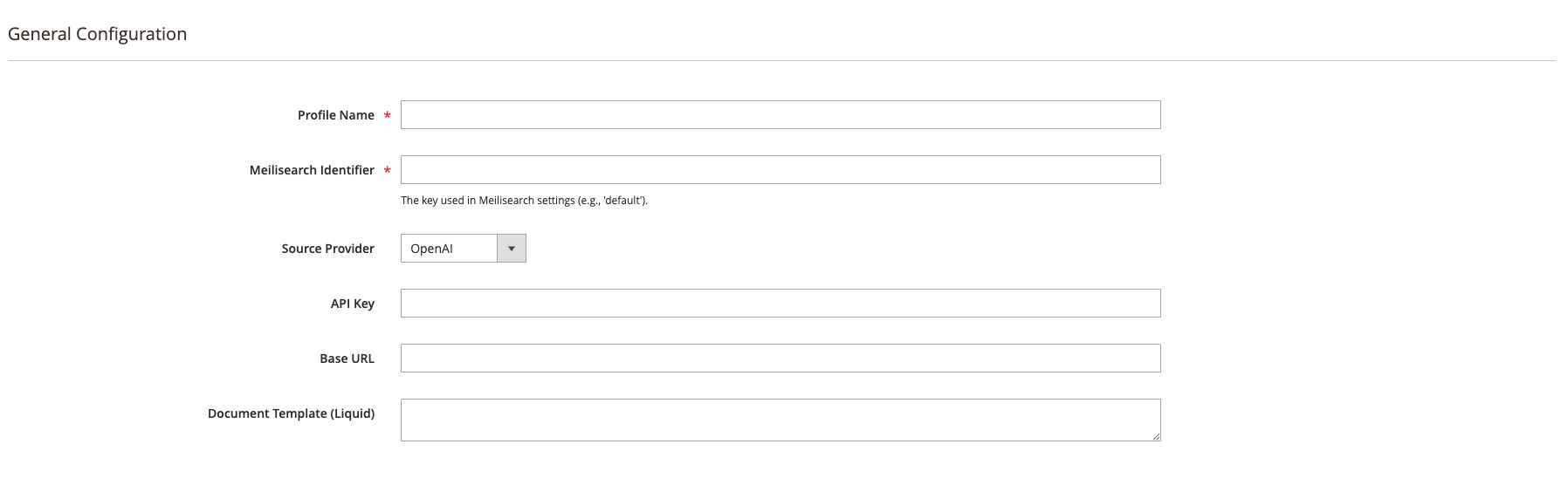
Fields Available
When creating or editing an embedder profile, the following fields are available:
- Profile Name: This name is used to retrieve the profile to your index settings
- Meilisearch Identifier: The unique identifier for this embedder. (e.g.,
defaultoropenai_main). - Source Provider: Defines the service provider used to generate vectors.
- API Key: Your secret Provider API key.
- Base URL: The endpoint for the embedding service.
- Model: The model to be used (recommended:
text-embedding-3-smallfor an optimal balance between performance and cost). - Dimensions: The number of dimensions for the model (e.g.,
1536for Ada). - Revision: (Optional) The specific version of the model to use.
- Document Template:
A template using Liquid syntax to transform your Magento documents into a simplified string that the AI can understand.
Example:
Product: {{doc.name}}. Category: {{doc.categories}}. Description: {{doc.description | strip_html}}
tip
A good template should be concise and only include semantically rich information such as Title, Category, and key Descriptions. Document template best practices